
JULY INSTAGRAM REELS
New to Instagram reels? They’re an amazing way to boost your visibility in the Instagram algorithm (especially to local buyers & sellers), as well as provide value to potential clients and showcase your knowledge!
Below, you’ll find instructions, examples and a caption for your Reel. We do not provide an actual template for the Reel because Instagram prefers that you add text and audio directly in their app, rather than upload a completely done-for-you video. Following this “Instagram’s best practices” rule ensures that your Reel gets as much reach and as many views as possible.
There are 10 Reels below so you can post twice per week, but feel free to get creative and do more! Please be sure to change all [CITY] placeholders to your actual city name. And make sure to get permission to share any listings that aren’t your own!
Learn more about how to post reels here.
Note: Please always get permission from the listing agent (if that’s not you!) before filming in any homes.




Before You Start House Hunting, Do These 4 Things
Strategy + Why It Works:
- Reaches buyers before they begin touring homes.
- Positions the agent as a helpful guide early in the process.
- Uses a simple checklist format that encourages saves and shares.
- Creates a natural opportunity to invite buyers to schedule a consultation.
How to Film & Create This Reel:
1️⃣ Choose a trending audio.
Pick an upbeat audio with a steady pace. Keep the volume low so the text remains the focus.
2️⃣ Film 5–10 clips. Here are some ideas:
Use the example to the left for an idea of what you want it to look like.
Film short vertical clips of yourself:
- Looking at listings
- Writing in a notebook
- Talking to a lender
- Reviewing a buyer guide
- Working at your desk
- Walking into a home
- Pointing to where text will appear
3️⃣ Add text overlays.
Opening:
Before You Start House Hunting, Do These 4 Things
Tip 1:
Talk to a lender
Know your budget and get pre-approved.
Tip 2:
Review your monthly expenses
Choose a payment that feels comfortable.
Tip 3:
Make your must-have list
Separate your needs from your wants.
Tip 4:
Choose your real estate agent
Build your buying plan before you start touring.
Closing:
Thinking about buying? Let’s create your game plan.
Back at Your Desk
- Open the Canva Reel template.
- Upload your clips under Uploads.
- Drag one clip into each video placeholder.
- Replace the text with the provided overlays.
- Apply your colors and fonts using your Canva Brand Kit.
- Add music in Canva or add trending audio inside Instagram.
- Download all pages as an MP4 Video.
4️⃣ Customize your caption (see below).
5️⃣ Post and share.
Upload the Reel, choose a clear cover, add your location, and share it to your Stories.
Caption:
Thinking about house hunting soon? 🏡
Before you start scrolling listings and falling in love with kitchens, do these 4 things first:
1️⃣ Get pre-approved
This helps you know what you can actually afford and shows sellers you’re serious.
2️⃣ Know your real budget
Not just the purchase price — think monthly payment, taxes, insurance, HOA fees, utilities, and maintenance.
3️⃣ Make your must-have list
Separate the true non-negotiables from the “would be nice” features. This makes the search so much easier.
4️⃣ Talk strategy with your agent
A good agent can help you understand neighborhoods, pricing, competition, timing, and what it takes to write a strong offer.
House hunting is way less stressful when you start with a plan instead of just winging it.
Thinking about buying in [City]? Let’s build your game plan before you start the search.
#HomeBuyingTips #HouseHunting #FirstTimeHomeBuyer #RealEstateTips #CityRealEstate #CityRealtor
Best Parks Near [Neighborhood]
Strategy + Why It Works:
- Highlights the lifestyle around a neighborhood, not just the homes.
- Attracts local residents, buyers, and families searching for area information.
- Positions the agent as a knowledgeable neighborhood resource.
- Creates highly shareable, location-based content.

How to Film & Create This Reel:
1️⃣ Choose a trending audio.
Pick an upbeat audio that fits outdoor and lifestyle footage.
2️⃣ Film 5–10 clips. Here are some ideas:
Use the example to the left for an idea of what you want it to look like.
Film short vertical clips of:
- Park entrance signs
- Walking trails
- Playgrounds
- Picnic areas
- Sports courts or fields
- Dog parks
- Scenic views
- Yourself walking through the park
Choose three or four parks near [Neighborhood] and capture a few clips at each.
3️⃣ Add text overlays.
Opening:
Best Parks Near [Neighborhood]
Park 1:
[Park Name]
Best for: [Playgrounds, trails, sports, etc.]
Park 2:
[Park Name]
Best for: [Picnics, dogs, walking, etc.]
Park 3:
[Park Name]
Best for: [Families, nature, events, etc.]
Closing:
Thinking about moving to [Neighborhood]? Follow for more local favorites.
Back at Your Desk
- Open the Canva Reel template.
- Upload your park footage.
- Drag clips into the video placeholders.
- Add each park’s name and best feature.
- Apply your Brand Kit colors and fonts.
- Add audio in Canva or Instagram.
- Download as an MP4 Video.
4️⃣ Customize your caption (see below).
5️⃣ Post and share.
Tag the parks, add your location, and share the Reel to your Stories.
Caption:
Looking for the best parks near [Neighborhood]? 🌳
Whether you’re planning a family day, a quiet walk, or just need somewhere to get outside for a bit, here are a few local favorites to check out:
🛝 [Park Name #1]
Best for: Families with kids
This is a great spot if you want playgrounds, open space, picnic areas, and an easy place to spend a low-key afternoon.
🚶 [Park Name #2]
Best for: Walking trails
Perfect for a morning walk, an after-dinner stroll, or getting some fresh air without going too far from home.
🐶 [Park Name #3]
Best for: Dog owners
If you’re looking for space to walk your pup or a dog-friendly area nearby, add this one to your list.
🧺 [Park Name #4]
Best for: Picnics and slow weekends
Bring a blanket, grab coffee or lunch nearby, and make it an easy Saturday outing.
One of the best parts of living near [Neighborhood] is having easy access to outdoor spots like these.
Save this for your next sunny day in [City]!
#NeighborhoodGuide #CityLiving #ThingsToDoInCity #LocalParks #CityRealEstate #LocalRealtor
Summer Guide to [City]
Strategy + Why It Work
- Showcases the lifestyle and community—not just local real estate.
- Helps agents reach people searching for things to do in [City].
- Encourages saves and shares with an easy summer itinerary.
- Positions the agent as a trusted local resource.

How to Film & Create This Reel:
1️⃣ Choose a trending audio.
Pick a fun, upbeat audio that feels summery and works well with quick clips.
2️⃣ Film 5–10 clips. Here are some ideas:
Use the example to the left for an idea of what you want it to look like.
Visit the five places featured in your caption and film short vertical clips of:
- Getting ice cream at [Ice Cream Shop]
- Walking, picnicking, or playing at [Park/Trail Name]
- The patio or food at [Restaurant Name]
- [Local Event, Concert Series, or Farmers Market]
- Walking through [Downtown, Neighborhood, or Shopping District]
- Local signs, storefronts, flowers, or scenic city views
- Yourself enjoying one or two of the locations
3️⃣ Add text overlays.
Opening:
Your Summer Guide to [City]
Stop 1:
Grab ice cream at [Ice Cream Shop]
Stop 2:
Spend the morning at [Park/Trail Name]
Stop 3:
Have dinner on the patio at [Restaurant Name]
Stop 4:
Check out [Local Event/Concert Series/Farmers Market]
Stop 5:
Stroll through [Downtown/Neighborhood/Shopping District]
Closing:
Save this for your next free weekend in [City]!
Back at Your Desk
- Open the Canva Reel template.
- Upload your clips under Uploads.
- Drag the matching footage into each video placeholder.
- Replace the text with your city and selected local businesses.
- Apply your Canva Brand Kit colors and fonts.
- Add audio in Canva or add trending audio inside Instagram.
- Download all slides as an MP4 Video.
4️⃣ Customize your caption (see below).
5️⃣ Post and share.
Tag each featured business or location, add the [City] location tag, and share the Reel to your Stories.
Caption:
Your summer guide to [City] is here ☀️
If you’re looking for a few easy ways to enjoy the season, here are some local favorites to add to your list:
🍦 Grab ice cream at [Ice Cream Shop]
Perfect for an after-dinner treat or a quick stop with the kids.
🌳 Spend the morning at [Park/Trail Name]
Great for a walk, picnic, playground time, or just getting outside before it gets too hot.
🍽️ Have dinner on the patio at [Restaurant Name]
Because summer nights were basically made for good food, outdoor seating, and staying out a little later.
🎶 Check out [Local Event/Concert Series/Farmers Market]
A fun way to support local vendors, enjoy live music, and make the most of the weekend.
🚶 Take a stroll through [Downtown/Neighborhood/Shopping District]
Grab coffee, pop into local shops, and enjoy one of the best parts of living near [City].
One of my favorite things about summer here is how many simple, low-key ways there are to enjoy the community.
Save this for your next free weekend in [City]! 🏡
#CityGuide #SummerInCity #ThingsToDoInCity #CityLiving #LocalGuide #CityRealEstate #LocalRealtor
3 Trade-Offs Most Buyers Make in [City]
Strategy + Why It Works:
- Helps buyers set realistic expectations before they start touring homes.
- Positions the agent as an honest guide who understands the local market.
- Encourages buyers to think about what matters most instead of searching for a “perfect” home.
- Creates a natural reason to contact the agent for help building a personalized home search.

How to Film & Create This Reel:
1️⃣ Choose a trending audio.
Pick an upbeat audio that works well with quick clips and easy-to-read text.
2️⃣ Film 5–10 clips. Here are some ideas:
Use the example to the left for an idea of what you want it to look like.
Film short vertical clips of:
- Looking through home listings
- Driving through different neighborhoods
- Touring a larger home
- Walking through an updated kitchen
- Showing a yard or outdoor space
- Pointing at a map
- Writing a buyer wish list
- Talking with a client at your desk
3️⃣ Add text overlays.
Opening:
3 Trade-Offs Most Buyers Make in [City]
Trade-Off 1:
Location vs. more space
Would you rather live closer to everything or get a larger home farther out?
Trade-Off 2:
Updated home vs. lower price
Move-in ready usually costs more. A home needing updates may leave room in the budget.
Trade-Off 3:
Big yard vs. less maintenance
More outdoor space can also mean more upkeep.
Closing:
The right home is about choosing the trade-offs that work for you.
Back at Your Desk
- Open the Canva Reel template.
- Upload your clips under Uploads.
- Drag footage into each video placeholder.
- Customize the trade-offs based on what buyers commonly face in [City].
- Apply your Canva Brand Kit colors and fonts.
- Add audio in Canva or Instagram.
- Download as an MP4 Video.
4️⃣ Customize your caption (see below).
5️⃣ Post and share.
Add your city location, choose a clear cover, and share the Reel to your Stories.
Section 2 — Template Build Instructions
- Size: 1080 × 1920 px
- Slides: 5
- Length: About 18–22 seconds
- Use full-bleed video placeholders on every slide.
- Add semi-transparent overlays behind the text.
- Use these text placeholders:
- 3 Trade-Offs Most Buyers Make in [City]
- Location vs. more space
- Updated home vs. lower price
- Big yard vs. less maintenance
- The right home is about choosing the trade-offs that work for you.
- Lock the overlays and text positions.
- Leave the video placeholders unlocked.
- Save as a shareable Canva template link.
Caption:
Buying a home in [City]? Let’s talk trade-offs 🏡
Most buyers start with a dream list — and that’s a great place to begin. But once you start seeing what’s available in your budget, you’ll usually have to decide what matters most.
1️⃣ Location vs. size
You may find a smaller home in the neighborhood you love or a larger home a little farther out. The right choice depends on your lifestyle, commute, schools, and how much space you truly need.
2️⃣ Updates vs. price
A move-in-ready home can be convenient, but you’re usually paying for those updates upfront. A home that needs a little work may give you more room in the budget, especially if you’re willing to make improvements over time.
3️⃣ Yard vs. commute
That bigger backyard might come with a longer drive, while a shorter commute may mean less outdoor space. It really comes down to how you spend your day-to-day life.
The goal isn’t to find a “perfect” home — it’s to find the home that fits your real priorities.
Thinking about buying in [City]? Let’s talk through your must-haves, nice-to-haves, and where it makes sense to be flexible.
#HomeBuyingTips #HouseHunting #CityRealEstate #CityRealtor #BuyingAHome #RealEstateAdvice
What Your Agent Does vs. What You Think They Do
Strategy + Why It Works:
- Uses a fun comparison to show how much work happens behind the scenes.
- Helps buyers and sellers better understand an agent’s value.
- Humanizes the agent without making the Reel feel overly promotional.
- Creates relatable, shareable content that can start conversations with future clients.

How to Film & Create This Reel:
1️⃣ Choose a trending audio.
Pick a playful audio with a noticeable beat or transition between the two sides of the comparison.
2️⃣ Film 5–10 clips. Here are some ideas:
Use the example to the left for an idea of what you want it to look like.
Film short vertical clips showing both sides:
What people think you do:
- Unlocking a front door
- Smiling inside a beautiful listing
- Handing over keys
- Putting up a sold sign
What you actually do:
- Researching comparable sales
- Reviewing contracts
- Scheduling inspections
- Making phone calls
- Coordinating with lenders and title companies
- Solving last-minute problems
- Working at your laptop after hours
3️⃣ Add text overlays.
Opening:
What You Think Your Real Estate Agent Does vs. What They Actually Do
What you think:
Unlocks doors
Shows pretty houses
Hands over the keys
What they actually do:
Researches the market
Builds a strategy
Negotiates the deal
Tracks every deadline
Coordinates the entire transaction
Solves problems before you know they exist
Closing:
A great agent does a lot more than open doors.
Back at Your Desk
- Open the Canva Reel template.
- Upload your clips under Uploads.
- Drag the matching footage into each video placeholder.
- Customize the text to reflect your own process.
- Apply your Canva Brand Kit colors and fonts.
- Add audio in Canva or Instagram.
- Download as an MP4 Video.
4️⃣ Customize your caption (see below).
5️⃣ Post and share.
Choose a strong cover, tag your location, and share the Reel to your Stories.
Caption:
What you think your agent does: opens doors and sends listings 🏡
What your agent actually does: a whole lot more behind the scenes.
Your agent helps you understand the market, compare homes beyond the pretty photos, spot potential red flags, write a strong offer, negotiate terms, coordinate deadlines, communicate with the lender/title company/inspector, and help keep the whole process moving toward closing.
And when things get stressful — because real estate almost always has a few stressful moments — your agent is the person helping you stay calm, understand your options, and make smart decisions instead of emotional ones.
Opening the door is the easy part.
The real value is in the strategy, guidance, negotiation, problem-solving, and experience that happen before, during, and after the showing.
Thinking about buying or selling in [City]? I’d love to help you make a plan.
#RealEstateAgent #HomeBuyingTips #HomeSellingTips #CityRealEstate #CityRealtor #RealEstateAdvice
A Day in the Life in [Neighborhood]
Strategy + Why It Works:
- Helps buyers picture what everyday life could feel like in the neighborhood.
- Promotes the community and lifestyle instead of focusing only on homes.
- Attracts people searching for local recommendations and moving information.
- Positions the agent as a knowledgeable neighborhood guide.

How to Film & Create This Reel:
1️⃣ Choose a trending audio.
Pick a relaxed, upbeat audio that fits a day-in-the-life or local lifestyle Reel.
2️⃣ Film 5–10 clips. Here are some ideas:
Use the example to the left for an idea of what you want it to look like.
Film short vertical clips of:
- Getting coffee at [Coffee Shop]
- Walking through the neighborhood
- Visiting [Park or Trail]
- Having lunch at [Restaurant]
- Browsing local shops
- Driving past neighborhood homes
- Enjoying an evening activity or local view
- Yourself at one or two of the stops
3️⃣ Add text overlays.
Opening:
A Day in the Life in [Neighborhood]
Morning:
Start with coffee at [Coffee Shop]
Late morning:
Take a walk through [Park/Trail]
Afternoon:
Grab lunch at [Restaurant]
Later:
Browse [Local Shop/Downtown Area]
Evening:
End the day at [Restaurant/Event/Scenic Spot]
Closing:
Could you picture yourself living in [Neighborhood]?
Back at Your Desk
- Open the Canva Reel template.
- Upload your clips under Uploads.
- Drag the matching footage into each video placeholder.
- Replace the text with your chosen local stops.
- Apply your Canva Brand Kit colors and fonts.
- Add audio in Canva or Instagram.
- Download as an MP4 Video.
4️⃣ Customize your caption (see below).
5️⃣ Post and share.
Tag each featured business, add the neighborhood location, and share the Reel to your Stories.
Caption:
Ever wonder what a day in [Neighborhood] could look like? 🏡✨
Here’s an easy little itinerary to get a feel for the area:
☕ Start with coffee at [Coffee Shop]
Grab your favorite drink, settle in for a slow morning, or take it to-go for a walk around the neighborhood.
🌳 Spend some time at [Park/Trail/Outdoor Spot]
Perfect for a morning stroll, getting outside with the kids, walking the dog, or just enjoying a little fresh air.
🍽️ Grab lunch at [Restaurant/Cafe]
One of those local spots that makes [Neighborhood] feel like home — casual, convenient, and always worth a stop.
🛍️ Browse around [Shopping Area/Downtown/Local Shops]
Pop into a few boutiques, check out local businesses, or run a few errands without having to go far.
🌅 End the day with dinner or drinks at [Restaurant/Patio Spot]
Because the best neighborhoods are the ones where you can make a whole day out of staying close to home.
That’s one of the things I love about [Neighborhood] — it has a rhythm that makes everyday life feel easy, connected, and local.
Thinking about moving to [Neighborhood]? I’d be happy to help you explore what living here could actually look like.
#NeighborhoodGuide #CityLiving #ThingsToDoInCity #LocalGuide #CityRealEstate #LocalRealtor
Best Lunch Spots in [City] Right Now
Strategy + Why It Works:
- Highlights local businesses and the lifestyle of living in [City].
- Creates useful, highly saveable content for residents and visitors.
- Helps agents reach local audiences beyond people actively buying or selling.
- Positions the agent as a go-to source for community recommendations.

How to Film & Create This Reel:
1️⃣ Choose a trending audio.
Pick a fun, upbeat audio that fits food and local lifestyle content.
2️⃣ Film 5–10 clips. Here are some ideas:
Use the example to the left for an idea of what you want it to look like.
Choose three or four lunch spots and film short vertical clips of:
- Restaurant signs and entrances
- Patios or dining areas
- Popular menu items
- Drinks, appetizers, or desserts
- Staff preparing or serving food
- Yourself arriving, ordering, or enjoying lunch
- Nearby streets or local scenery
Always ask permission before filming inside a business or recording staff and customers.
3️⃣ Add text overlays.
Opening:
Best Lunch Spots in [City] Right Now
Spot 1:
[Restaurant Name]
Order: [Popular Dish]
Spot 2:
[Restaurant Name]
Best for: [Quick Lunch/Patio/Healthy Options]
Spot 3:
[Restaurant Name]
Don’t miss: [Menu Item]
Spot 4:
[Restaurant Name]
Perfect for: [Client Lunch/Families/Weekend Meal]
Closing:
Which [City] lunch spot should I try next?
Back at Your Desk
- Open the Canva Reel template.
- Upload your restaurant footage.
- Drag clips into the matching video placeholders.
- Add each restaurant’s name and featured dish.
- Apply your Canva Brand Kit colors and fonts.
- Add audio in Canva or Instagram.
- Download as an MP4 Video.
4️⃣ Customize your caption (see below).
5️⃣ Post and share.
Tag every featured restaurant, add the [City] location, and share the Reel to your Stories.
Caption:
Looking for a good lunch spot in [City]? 🍽️
Whether you’re meeting a friend, grabbing something quick between errands, or looking for a new local favorite, here are a few spots to add to your list:
🥗 [Restaurant Name #1]
Best for: A casual lunch with plenty of options. Great if you want something easy, reliable, and good for a weekday meet-up.
🥪 [Restaurant Name #2]
Best for: A quick bite. Perfect when you want something good without turning lunch into a whole event.
🌮 [Restaurant Name #3]
Best for: Something fun and flavorful. This is a great one when you’re tired of the same old lunch routine.
🍔 [Restaurant Name #4]
Best for: A laidback lunch with friends or family. Good food, easy atmosphere, and always a solid choice.
☕ [Restaurant/Cafe Name #5]
Best for: Coffee, lunch, and a little laptop time if you need to get some work done.
One of the best parts of living in [City] is having local spots like these right nearby.
Save this for the next time you’re trying to decide where to go for lunch!
#CityGuide #LunchInCity #ThingsToDoInCity #LocalFavorites #CityLiving #CityRealEstate #LocalRealtor
This Is What the Market Looks Like Right Now
Strategy + Why It Works:
- Makes market data feel simple and useful instead of overwhelming.
- Positions the agent as a knowledgeable local resource.
- Helps buyers and sellers understand what current conditions mean for them.
- Encourages viewers to contact the agent for advice based on their specific goals.

How to Film & Create This Reel:
1️⃣ Choose a trending audio.
Pick a steady, upbeat audio that will not distract from the market statistics.
2️⃣ Film 5–10 clips. Here are some ideas:
Use the example to the left for an idea of what you want it to look like.
Film short vertical clips of:
- Driving through local neighborhoods
- Homes with for-sale or sold signs
- Looking through MLS data
- Reviewing a market report
- Working at your laptop
- Touring a home
- Pointing to where statistics will appear
- Speaking briefly to the camera
3️⃣ Add text overlays.
Use the most recent data available for your city or market.
Opening:
This Is What the [City] Market Looks Like Right Now
Stat 1:
[Number] homes are currently for sale
Stat 2:
Homes are taking an average of [Number] days to sell
Stat 3:
The median sales price is [Price]
Stat 4:
Homes are selling for approximately [Percentage]% of asking price
Closing:
What does this mean for your move? Let’s talk about your options.
Back at Your Desk
- Open the Canva Reel template.
- Upload your clips under Uploads.
- Drag footage into the video placeholders.
- Replace the sample statistics with current local market data.
- Apply your Canva Brand Kit colors and fonts.
- Add audio in Canva or Instagram.
- Download as an MP4 Video.
4️⃣ Customize your caption (see below).
5️⃣ Post and share.
Add your city location, include the month and year in the caption, and share the Reel to your Stories.
Caption:
Stop waiting for the “perfect” market 🏡
Here’s what I’m seeing in [City] right now: there are more homes available than buyers were seeing earlier this year, but the best-priced homes are still moving quickly. On average, homes are taking a few weeks to sell, which means buyers may have a little more breathing room — but not enough to move slowly on a home they really love.
Pricing still matters more than anything. Homes that are priced well and show well are getting attention, while homes that come on too high are sitting longer and often needing price adjustments. The average sale price is also showing us that buyers are still active, but they’re being more selective about condition, location, and monthly payment.
So if you’re waiting for everything to magically line up — lower rates, lower prices, more options, less competition — you may end up waiting longer than you planned.
The smarter move is to understand what’s happening right now, look at the numbers for your specific situation, and make a plan based on your goals.
Thinking about buying or selling in [City]? Let’s talk through what this market actually means for you.
#RealEstateMarket #CityRealEstate #HomeBuyingTips #HomeSellingTips #CityRealtor #RealEstateAdvice
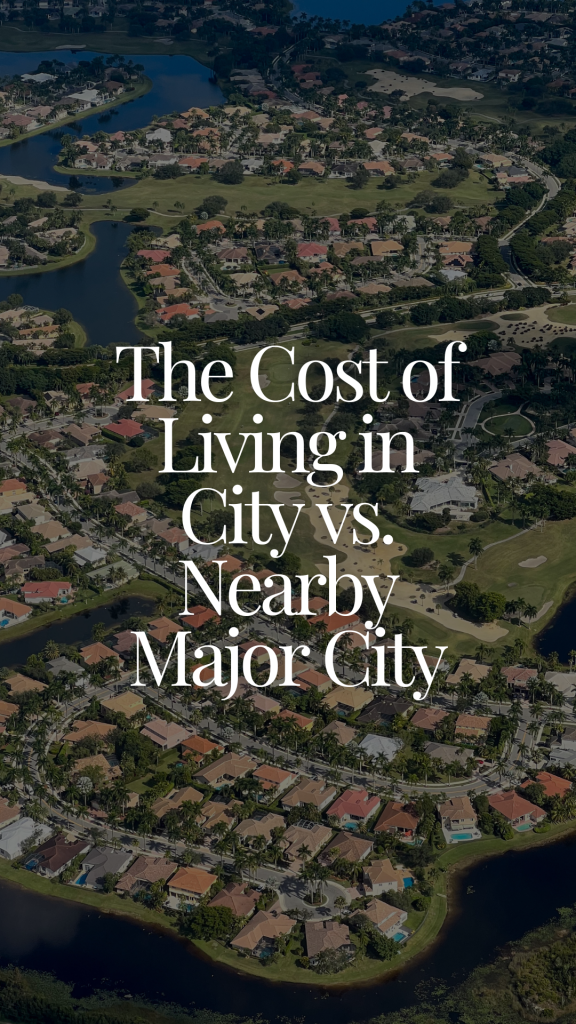
The Cost of Living in [City] vs. [Nearby Major City]
Strategy + Why It Works:
- Attracts buyers comparing where they can get the most for their budget.
- Highlights the financial and lifestyle differences between two nearby markets.
- Positions the agent as a helpful resource for relocation buyers.
- Encourages viewers to contact the agent for a personalized comparison.

How to Film & Create This Reel:
1️⃣ Choose a trending audio.
Pick an upbeat audio that works well with quick comparison-style clips.
2️⃣ Film 5–10 clips. Here are some ideas:
Use the example to the left for an idea of what you want it to look like.
Film short vertical clips of:
- Homes in both cities
- Downtown streets or recognizable landmarks
- Apartments or neighborhoods
- Restaurants, shops, and parks
- Commuting or traffic
- Looking at listings on your laptop
- Pointing to each side of the screen
3️⃣ Add text overlays.
Use current local data and compare similar homes and lifestyles.
Opening:
The Cost of Living in [City] vs. [Nearby Major City]
Home prices:
Median home price
[City]: [Price]
[Major City]: [Price]
Housing:
What [Budget] buys you in each city
Everyday expenses:
Compare taxes, utilities, parking, or other relevant costs
Lifestyle:
More space and a quieter pace vs. city convenience and amenities
Closing:
Which one fits your budget and lifestyle better?
Back at Your Desk
- Open the Canva Reel template.
- Upload your clips under Uploads.
- Drag footage from each city into the matching placeholders.
- Add current local prices and cost comparisons.
- Apply your Canva Brand Kit colors and fonts.
- Add audio in Canva or Instagram.
- Download as an MP4 Video.
4️⃣ Customize your caption (see below).
5️⃣ Post and share.
Tag both locations, choose a comparison-style cover, and share the Reel to your Stories.
Caption:
Thinking about moving from [Nearby Major City] to [City]? 🏡
One of the biggest questions people ask is: “What’s the cost of living actually like?”
Here are a few things to compare before making the move:
1️⃣ Housing
Your budget may stretch differently in [City] than it does in [Nearby Major City]. In some cases, buyers may find more space, larger lots, or different home styles for the same price point.
2️⃣ Commute
A lower home price does not always mean a lower lifestyle cost if your daily commute gets longer. Make sure you test the drive during the times you’d actually be on the road.
3️⃣ Everyday expenses
Groceries, utilities, gas, dining out, childcare, and insurance can all vary by area. It’s worth looking beyond the mortgage payment when comparing places to live.
4️⃣ Lifestyle
Do you want more space and a quieter pace, or do you want to be closer to restaurants, events, work, and nightlife? The “better value” depends on what matters most to you.
5️⃣ Schools and community
If schools, activities, parks, sports, or neighborhood feel are important, those should be part of the cost-of-living conversation too.
The right move is not just about where homes cost less. It’s about where your money, lifestyle, commute, and long-term goals line up best.
Thinking about moving to [City]? I’d be happy to help you compare neighborhoods and figure out what your budget can really get you here.
#MovingToCity #CostOfLiving #CityRealEstate #RelocationTips #CityLiving #LocalRealtor
Moving to [City] But Can’t Pick a Neighborhood? Start Here
Strategy + Why It Works:
- Reaches relocation buyers who feel overwhelmed by their options.
- Helps buyers focus on lifestyle, budget, and priorities instead of choosing based on photos alone.
- Positions the agent as a local expert who can simplify the neighborhood search.
- Creates a natural opportunity to offer a personalized neighborhood consultation.

How to Film & Create This Reel:
1️⃣ Choose a trending audio.
Pick an upbeat audio that works well with neighborhood and lifestyle footage.
2️⃣ Film 5–10 clips. Here are some ideas:
Use the example to the left for an idea of what you want it to look like.
Film short vertical clips of:
- Driving through different neighborhoods
- Downtown streets and local shops
- Parks, trails, or community amenities
- Different home styles
- Restaurants and coffee shops
- A commute or major roadway
- Looking at a city map
- Reviewing neighborhood options at your desk
3️⃣ Add text overlays.
Opening:
Moving to [City] But Can’t Pick a Neighborhood? Start Here
Step 1:
Choose your ideal commute
Step 2:
Decide what you want nearby
Shops, restaurants, parks, schools, or nightlife?
Step 3:
Set your home and monthly budget
Step 4:
Pick your preferred lifestyle
Walkable, suburban, quiet, or close to the action?
Closing:
Share your priorities, and I’ll help you narrow down the best neighborhoods.
Back at Your Desk
- Open the Canva Reel template.
- Upload your neighborhood footage.
- Drag clips into the matching video placeholders.
- Customize the text for [City] and its local lifestyle options.
- Apply your Canva Brand Kit colors and fonts.
- Add audio in Canva or Instagram.
- Download as an MP4 Video.
4️⃣ Customize your caption (see below).
5️⃣ Post and share.
Add the [City] location, choose a clear cover, and share the Reel to your Stories.
Section 2 — Template Build Instructions
- Size: 1080 × 1920 px
- Slides: 6
- Length: About 18–22 seconds
- Use full-bleed video placeholders on every slide.
- Add semi-transparent overlays behind the text.
- Use these text placeholders:
- Moving to [City] But Can’t Pick a Neighborhood? Start Here
- Choose your ideal commute
- Decide what you want nearby
- Set your home and monthly budget
- Pick your preferred lifestyle
- Share your priorities, and I’ll help you narrow down the best neighborhoods.
- Lock the overlays and text positions.
- Leave video placeholders unlocked.
• • Save as a shareable Canva template link.
Caption:
Moving to [City] but can’t pick a neighborhood? Start here 🏡
Choosing the right area can feel overwhelming, especially when every neighborhood looks good online. But instead of starting with listings, start with your actual lifestyle.
1️⃣ Think about your daily routine
Where do you work? Where do you spend weekends? How far are you willing to drive for groceries, school, coffee, dinner, or activities? The right neighborhood should make your everyday life feel easier.
2️⃣ Decide what matters most
Do you want more space, a shorter commute, walkability, newer homes, a larger yard, top-rated schools, or a quieter setting? Most buyers have to prioritize, so knowing your top 2–3 non-negotiables helps narrow things down fast.
3️⃣ Visit at different times of day
A neighborhood can feel totally different on a weekday morning, after school, during rush hour, or on a Saturday afternoon. Drive around, grab lunch nearby, and get a feel for what daily life would actually be like.
4️⃣ Compare the trade-offs
One area may give you more house for the money, while another may put you closer to restaurants, parks, or work. There usually isn’t one “perfect” neighborhood — just the one that fits your life best.
Thinking about moving to [City]? I’d be happy to help you compare neighborhoods and figure out which areas make the most sense for your budget, lifestyle, and goals.
#MovingToCity #NeighborhoodGuide #CityLiving #RelocationTips #CityRealEstate #LocalRealtor
